
Simplify it! Endless story about the automatic Building polygons
One recurring challenge in the Mapflow Building Footprints scenario is simplification.
As soon as the model extracts the mask and vectorizes it, the job starts refining the geometry to "look good". Hmm... "look good". Sounds unclear, doesn't it?
We've spent a good amount of time striving to find the best possible simplification that would produce the map-friendly polygons and align with user expectations. And we kept debating whether it's better to call it "simplification" or "polygonization". )
Before the real fight for naming started, we realized that in practice, our methods do both: they simplify the mask and reshape it into approximated polygons.
A brief long history of the Simplification in our RnD
Over time, we tried multiple approaches:
- Approximation to some geometry primitives which are relevant to building patterns (rectangle, L-shape, circle)
- Custom vertex-selection algorithms --- our own methods for finding optimal simplification points.
- Tried to adopt GANs as a fix to unsimplified geometries, which was an exciting experiment, but eventually got rid of them, as it slowed down the workflow, while it didn't provide the strong evidence of improvement
- Testing some worth-checking libs that were published in the meantime, like the one https://github.com/DPIRD-DMA/Building-Regulariser
And the truth is, there is no one single Simplification that rocks...

The geo domains and building patterns vary a lot. The image's resolution, hence the pixelized mask accuracy, varies a lot. But most importantly, that user cases are different --- for some of them you need the best mask approximation (let's say, measure the rooftop area) and for some you may need clean, map-friendly polygons (like to accelerate the mapping workflow).
As the Mapflow was designed with the idea of striving for UI simplicity, we came up with a compromise to settle on two options instead of one:
- Simplification --- simplifies the building shape, staying close to the original mask
Press enter or click to view image in full size
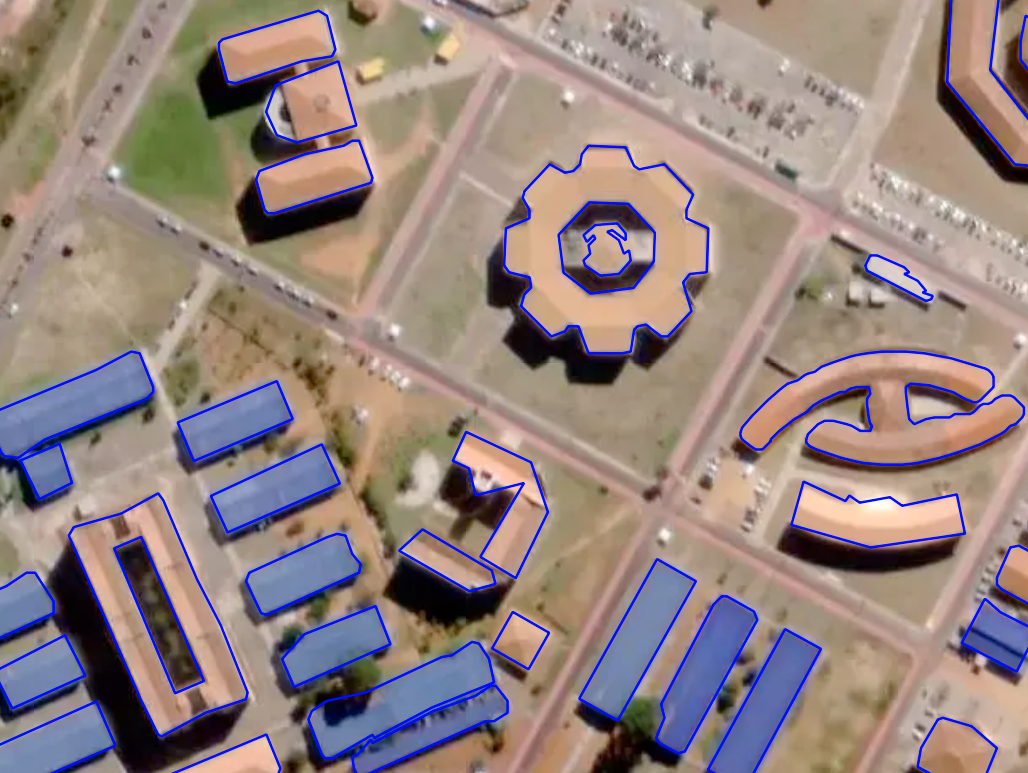
Building footprints --- simplification, Brazil
- Regularization --- enforces right angles and produces cleaner, although less detailed shapes.
Press enter or click to view image in full size
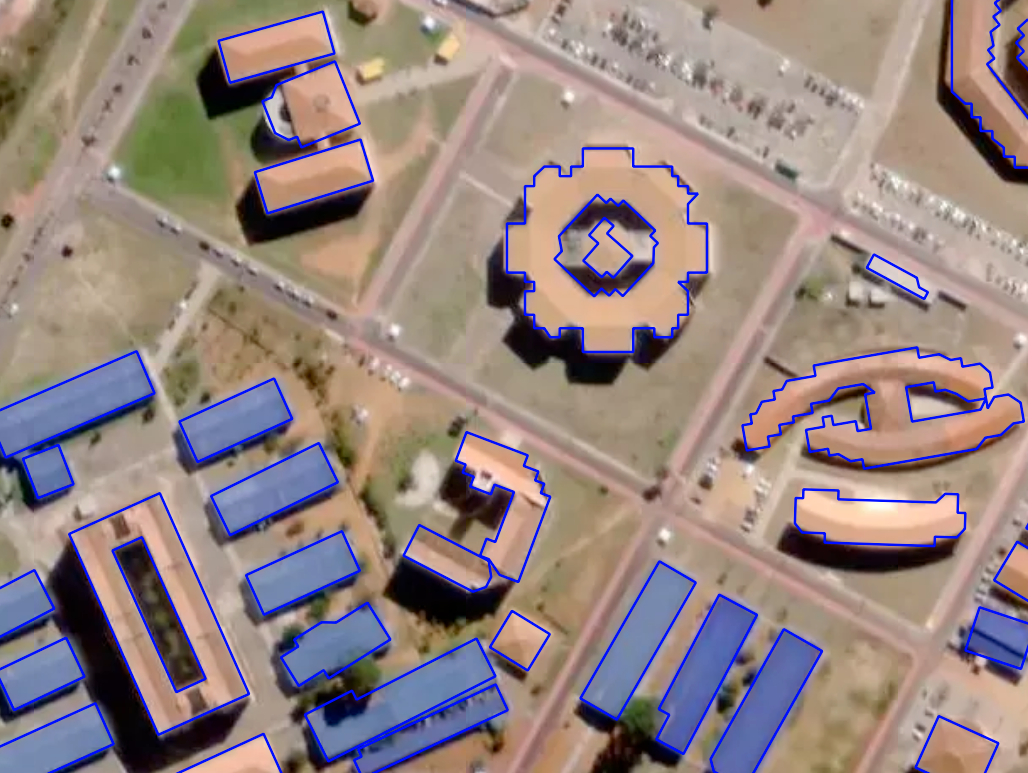
Building footprints --- regularization, Brazil
As you see from the example above, the "Regularization" option is not good here. In another case, it might work well. Here's one more example taken from the Mapflow users feedback.
Press enter or click to view image in full size
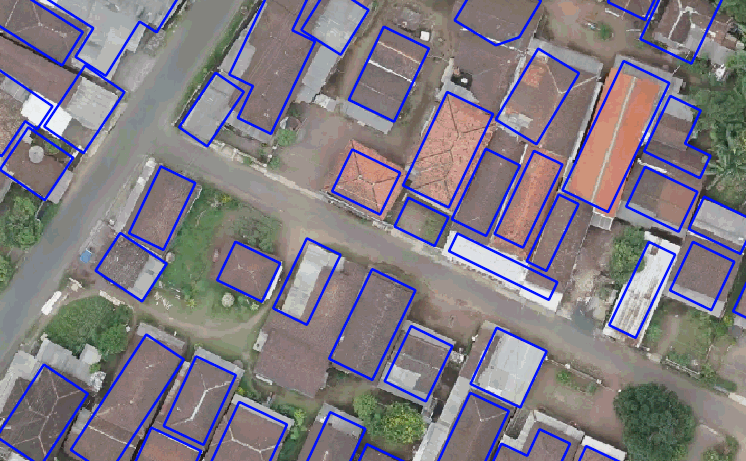
Building footprints --- regularization, Indonesia
And you can use them both (or none of them).
FYI. Some takeaways from our internal testing
At first, we wrapped all methods into one pipeline that produced multiple versions of each building feature. Users could compare them by the "simplification" attribute using Mapflow plugin for QGIS.
But in reality, it was too hard to teach customers how to compare results. And we had to reconfigure or rerun the entire pipeline every time they wanted to tweak a threshold.
This limitation applies to most libraries that depend on inference: testing parameters becomes slow.
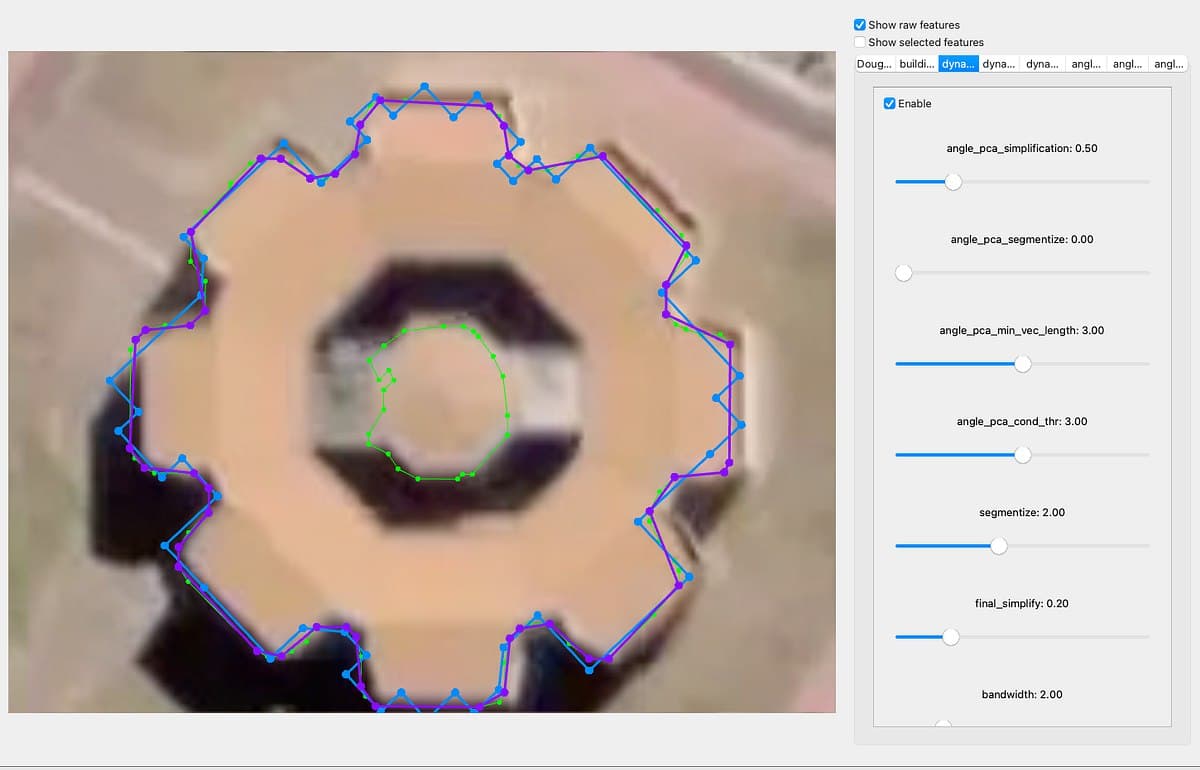
Eventually, we built our own Qt-based tool to visualize and compare methods in real time and adjust thresholds by simply moving the sliders.
Press enter or click to view image in full size
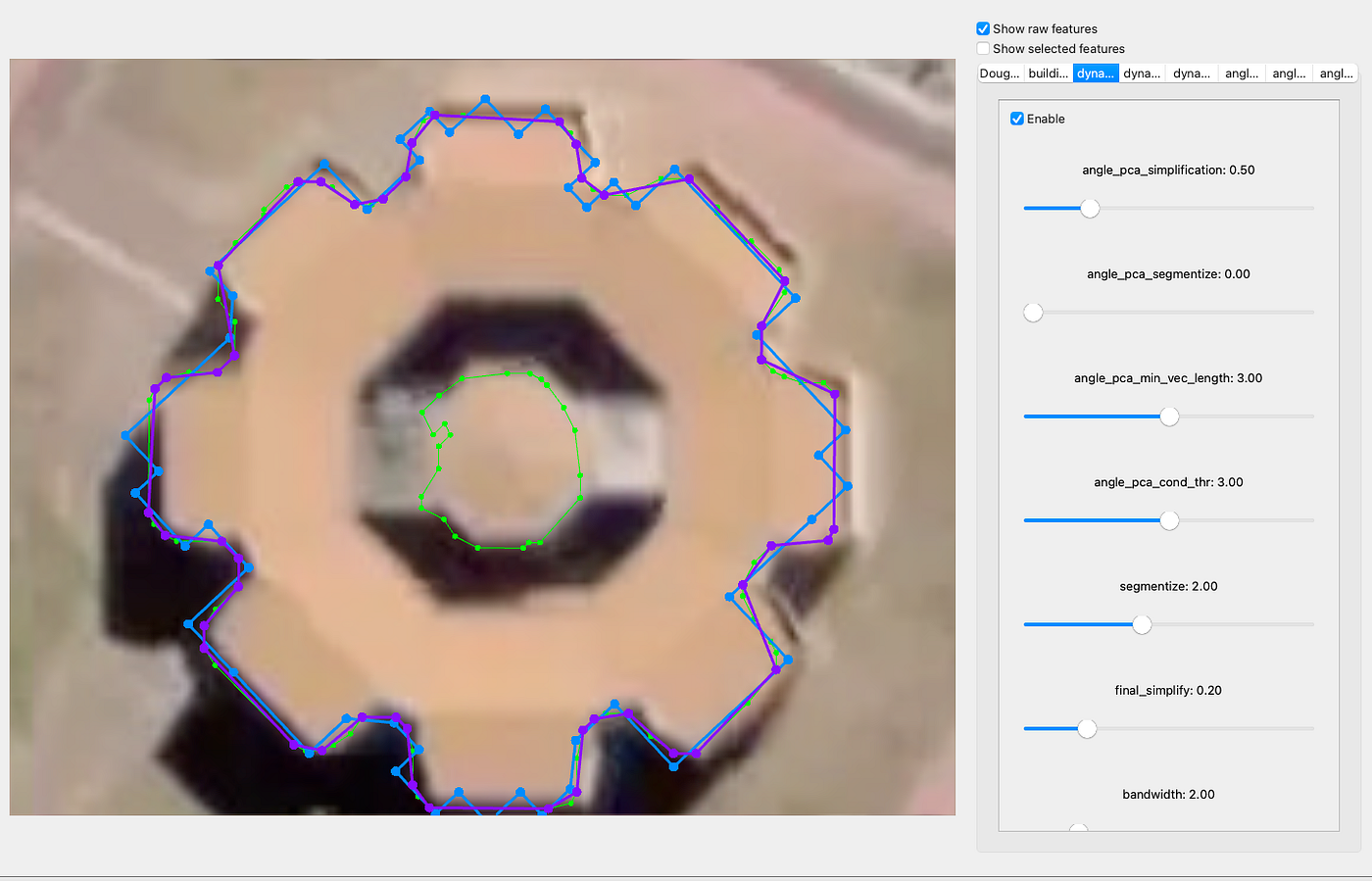
Simpliication testing app
⭐ All our final adjustments were shaped by the users who rated their outputs and therefore allowed us to review their data. We hope this update makes it more handy to choose the method that best fits your project --- without overwhelming you with complex settings.
Useful links:
- Mapflow AI
- About Mapflow building polygons (historical article)
- Building Regulariser --- the open lib that we've tested (check the number of params)
Originally published on Medium