
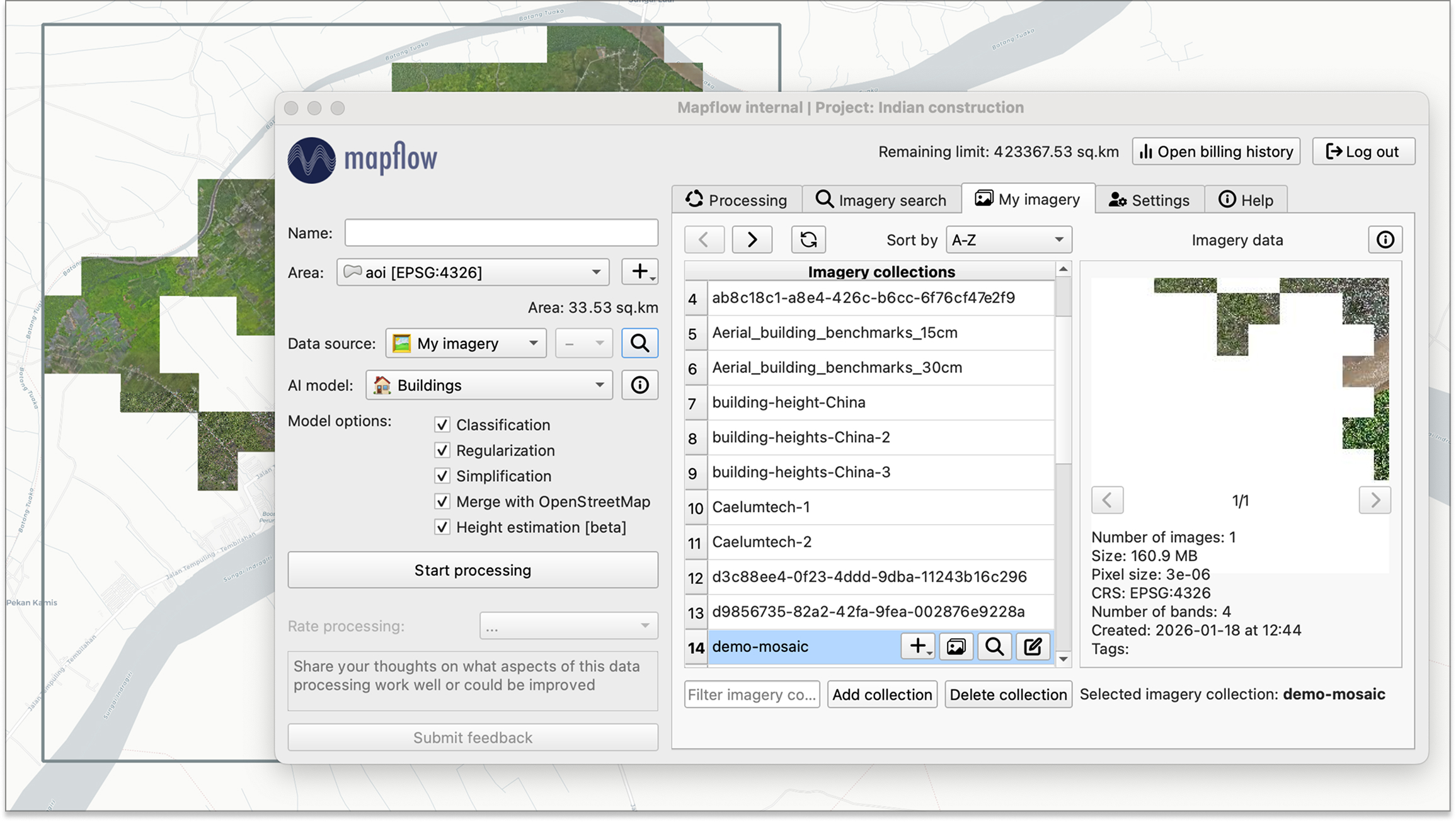
My Imagery updated! 🛰️ Organise your data collections and run AI workflows in one shot. 🚀
Mapflow for QGIS
Run AI-powered geospatial analysis directly in your favorite desktop GIS. Detect and extract real-world objects from satellite imagery without leaving QGIS.
Plugin Features
Everything you need for AI-powered geospatial analysis, natively integrated with QGIS.
AI Object Detection
Detect buildings with type classification (residential, commercial), forests and vegetation with height estimation, roads, construction sites, and agricultural fields using deep learning models.
Multiple Data Sources
Access built-in imagery from Mapbox, ArcGIS World Imagery, and global mosaics. Search imagery catalogs by date, cloud cover, and area intersection. Connect Maxar SecureWatch or add custom sources in XYZ, TMS, WMS, and Quadkey formats.
Your Own Imagery
Upload and manage your own GeoTIFF imagery in organized collections. Preview images, run batch processing across multiple files, and use collection or image extent as the area of interest.
Native QGIS Integration
View results as streaming vector tiles for fast preview or save as local GeoPackage files. Auto-applied layer styling for default AI models. Export to GeoJSON. Define AOI by drawing on the map, loading from a file, or using the canvas extent.
Easy Setup
Install directly from the QGIS Plugin Manager with one click. Authenticate via API token or OAuth 2.0. Get started in minutes with no complex configuration.
Open Source
Fully open-source on GitHub. Contribute features, report issues, and review the code. Join a growing community of geospatial developers.
Projects & Processings
Organize work into projects. Monitor processing status, view detailed info including model and data provider used. Duplicate, restart, or rename processings. Sort, search, and filter your processing history.
Enterprise Features
Enable review workflows where completed processings can be accepted or sent back for reprocessing with comments and area highlights. Deploy on-premise for full data sovereignty.
Get Started
Install the plugin from the QGIS Plugin Manager or visit our documentation to learn more about Mapflow for QGIS.