
My Imagery updated! 🛰️ Organise your data collections and run AI workflows in one shot. 🚀
My Imagery
Upload your own satellite or aerial imagery to Mapflow Web, organize it into collections, and run AI-mapping models directly on your data — all from the browser.
Four Ways to Use Imagery in Mapflow
My Imagery is one of several ways to bring aerial or satellite data into your AI-mapping workflow.
My Imagery
Upload your own GeoTIFFs to the Mapflow platform and process them with Mapflow models.
Imagery basemaps
Use external providers like Mapbox and ArcGIS that are built into Mapflow for instant use with default models.
Custom URL
Add your own XYZ or TMS layers, including commercial sources like Nearmap and Maxar, in Web, API, and the QGIS plugin.
Imagery Search
Search for historical commercial imagery and order images from our partners directly in Mapflow Web.
Manage Your Imagery Collections
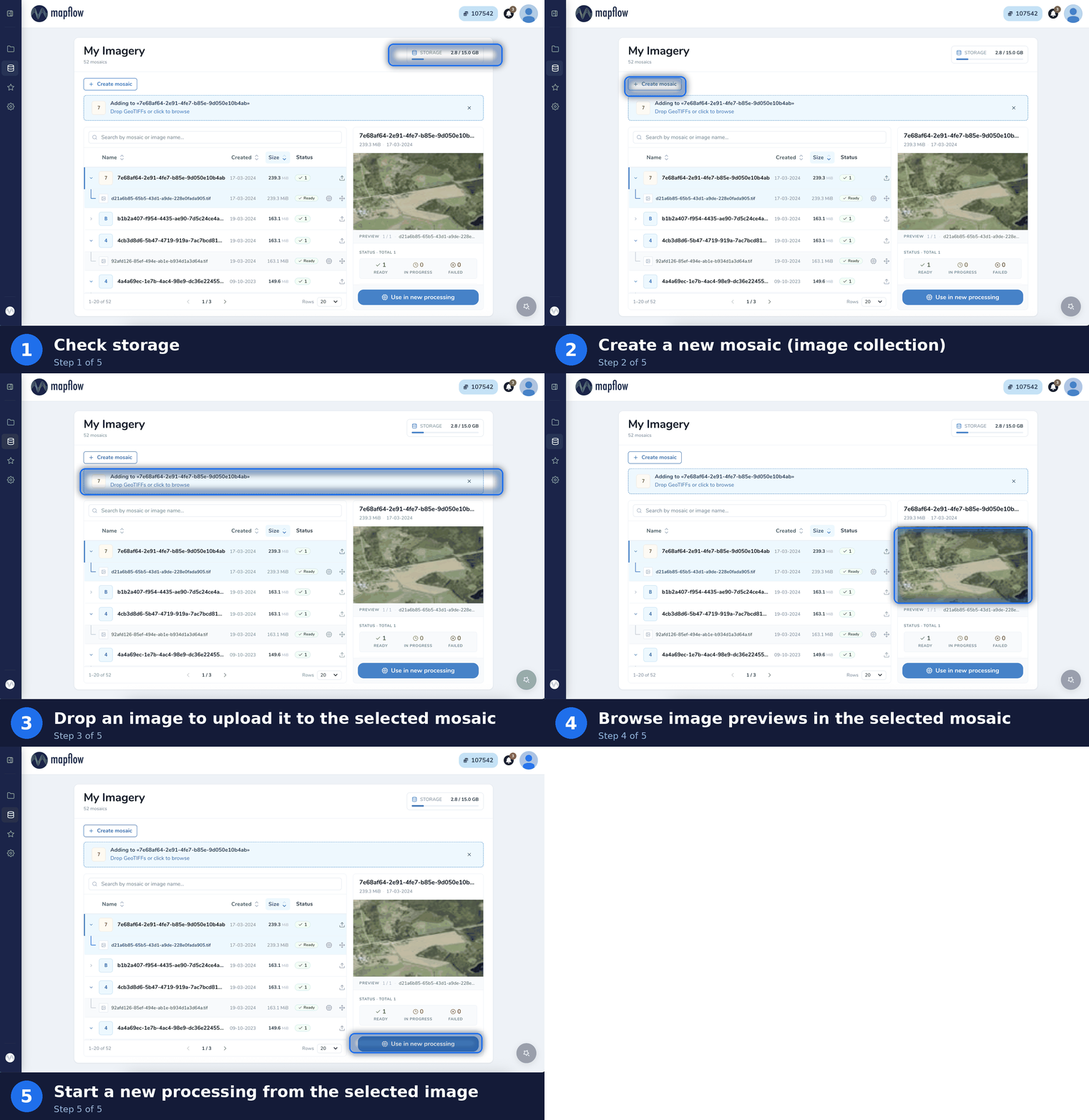
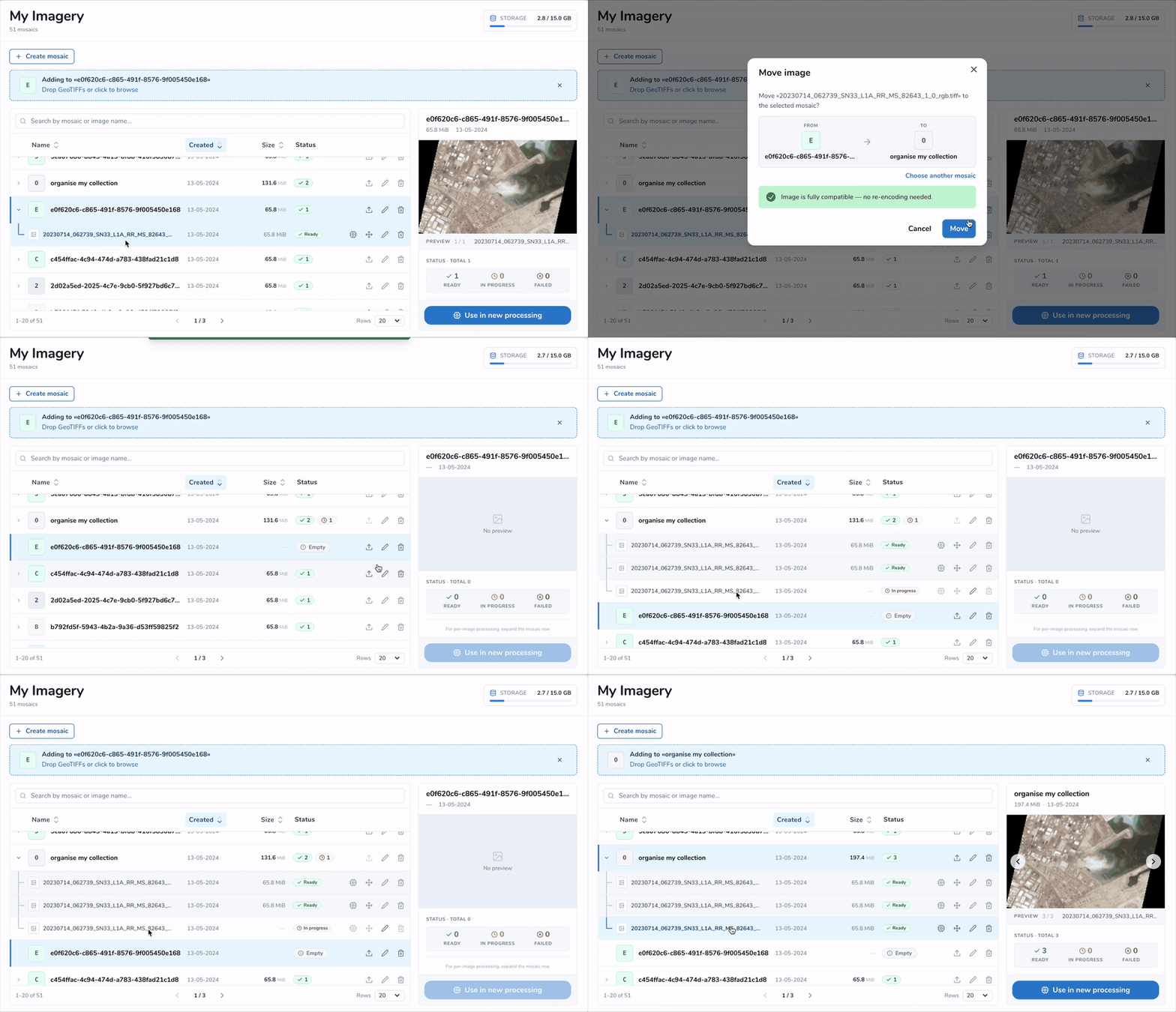
The My Imagery page in Mapflow Web lets you organize your data into mosaics, upload GeoTIFFs, preview them, and start a processing in just a few clicks.
Storage at a glance
Track how much of your storage is used versus your total limit. Free up space by deleting unused data, or extend your limit with a Premium plan.
Mosaics & uploads
Create mosaics to group related images, then drop GeoTIFFs to upload them. Each mosaic and image shows its status — Ready, In progress, or Failed — and is searchable and sortable by name, date, size, and status.
Use in new processing
Start an AI processing directly from an uploaded image. Pick an existing project or create a new one to run Mapflow models on your own data.
Preview & Set Your Area of Interest
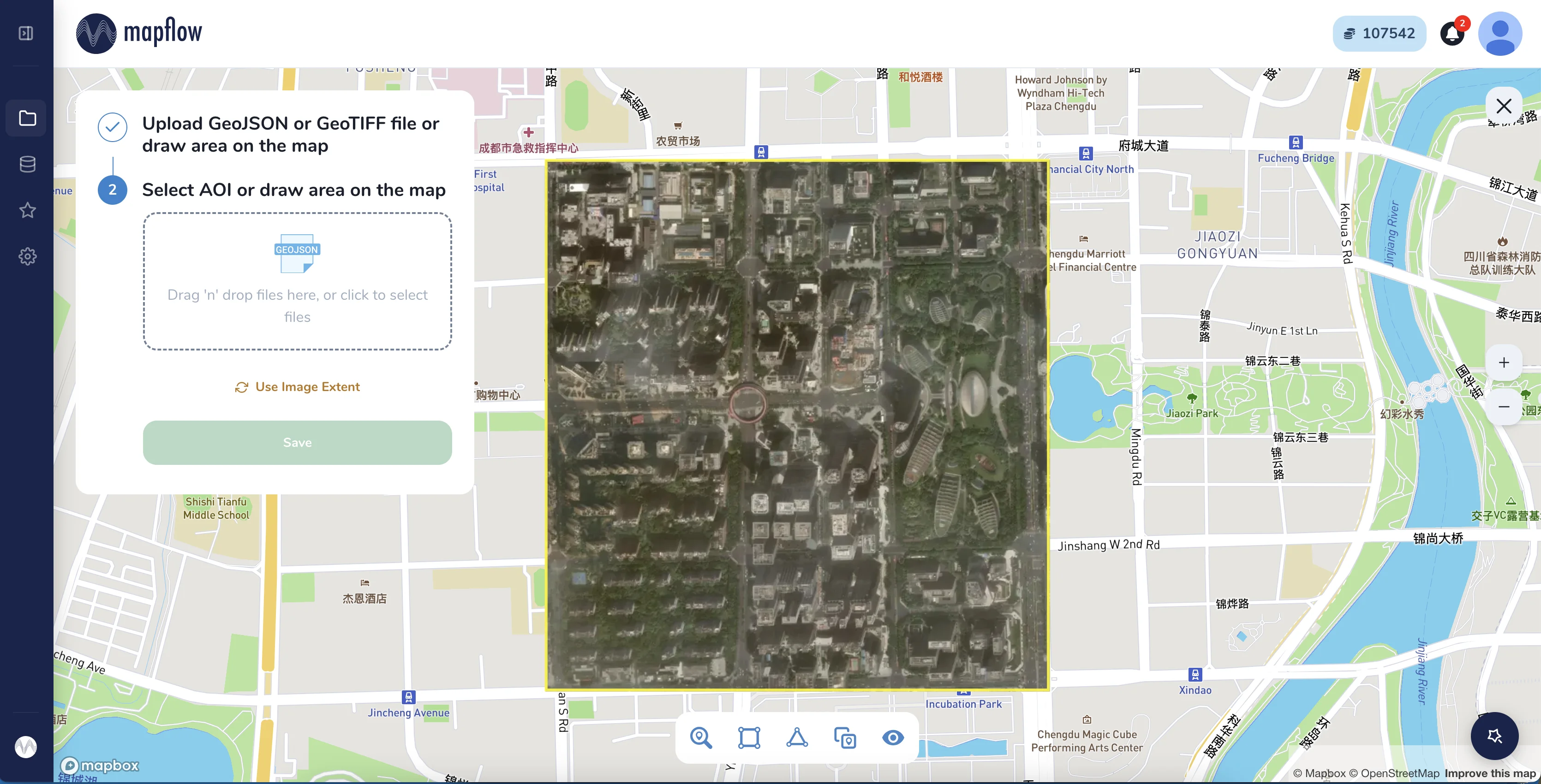
Preview your image on the map and define the processing area: upload a GeoJSON or GeoTIFF, draw the area on the map, or use the image extent to map the full image.