
My Imagery updated! 🛰️ Organise your data collections and run AI workflows in one shot. 🚀
Interact with Mapflow via chat
Mapflow AI Agent understands plain language. Describe what you want to detect, pick a location — the agent selects AI models, estimates cost, runs the processing, and explains the results.
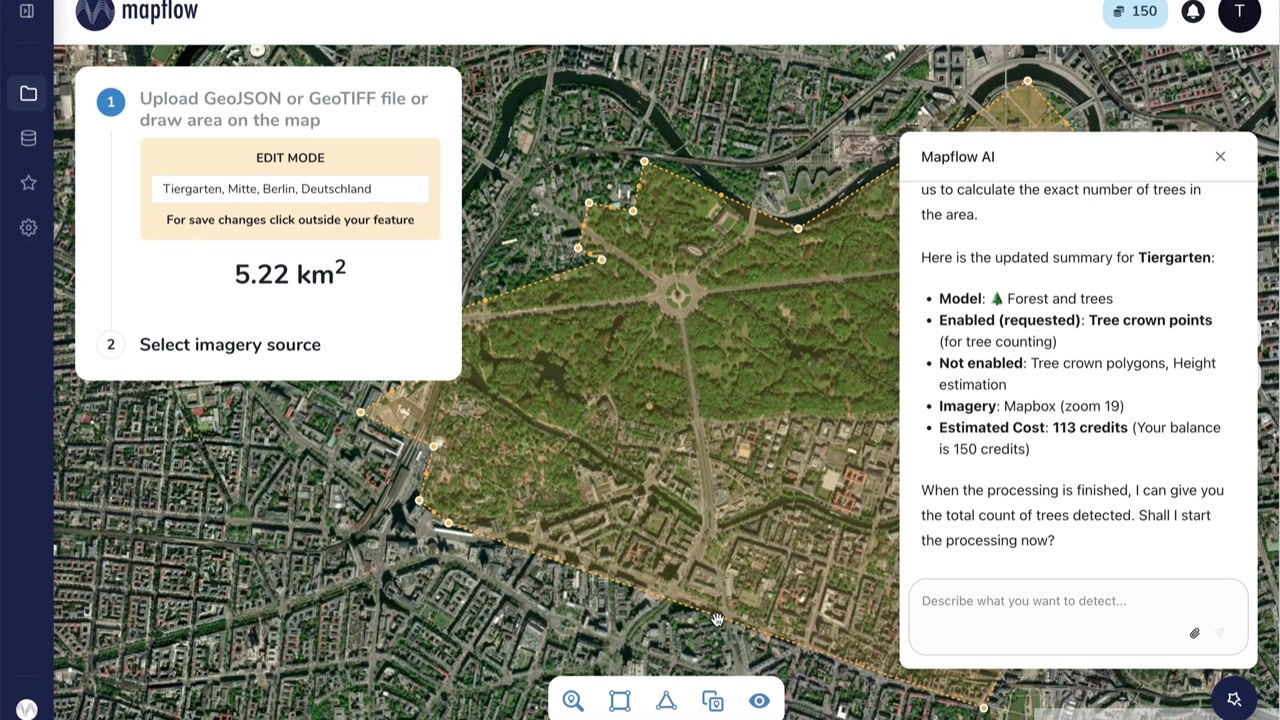
AI Agent sets up the processing plan — model, area, imagery source, and estimated cost — right on the map.
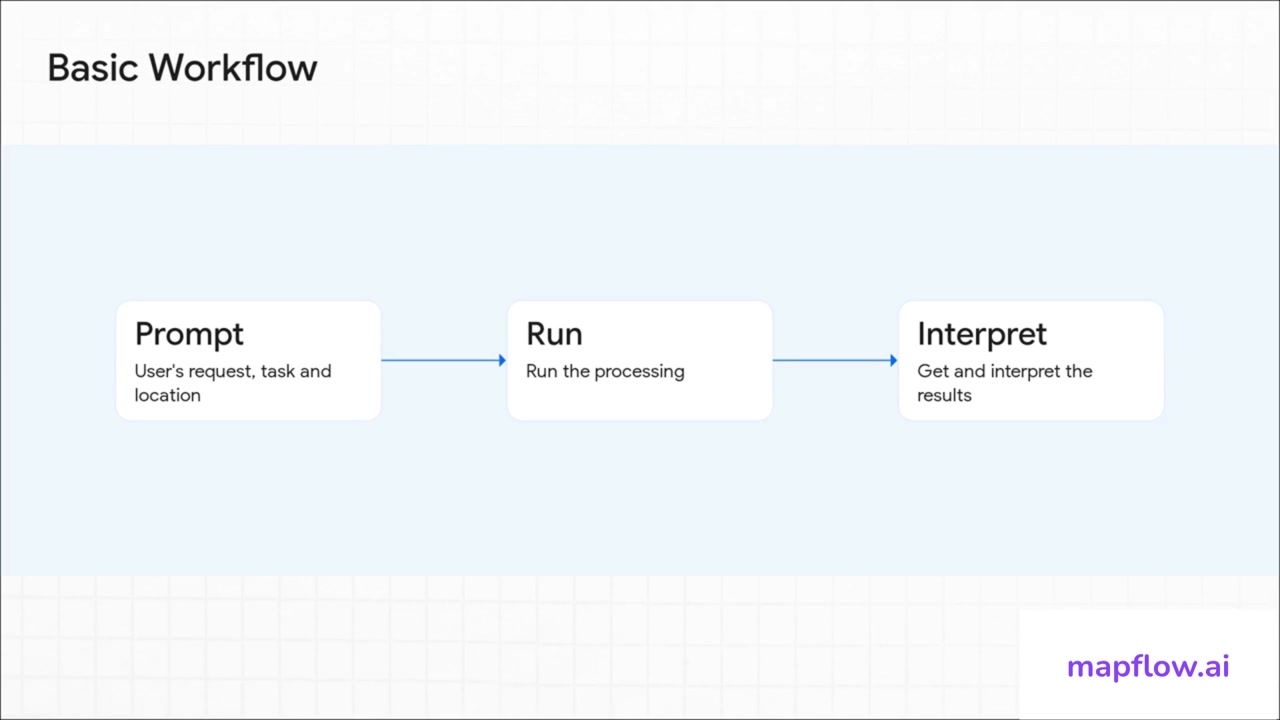
Basic workflow
Three steps from question to answer.
Prompt
Describe your task and location in plain language. No forms, no dropdowns.
Run
The agent selects the right AI model, configures imagery, and launches processing.
Interpret
Results are retrieved and summarised. Ask follow-up questions in the same chat.
See it in action
From a single natural-language prompt to detected tree crowns across an entire district.
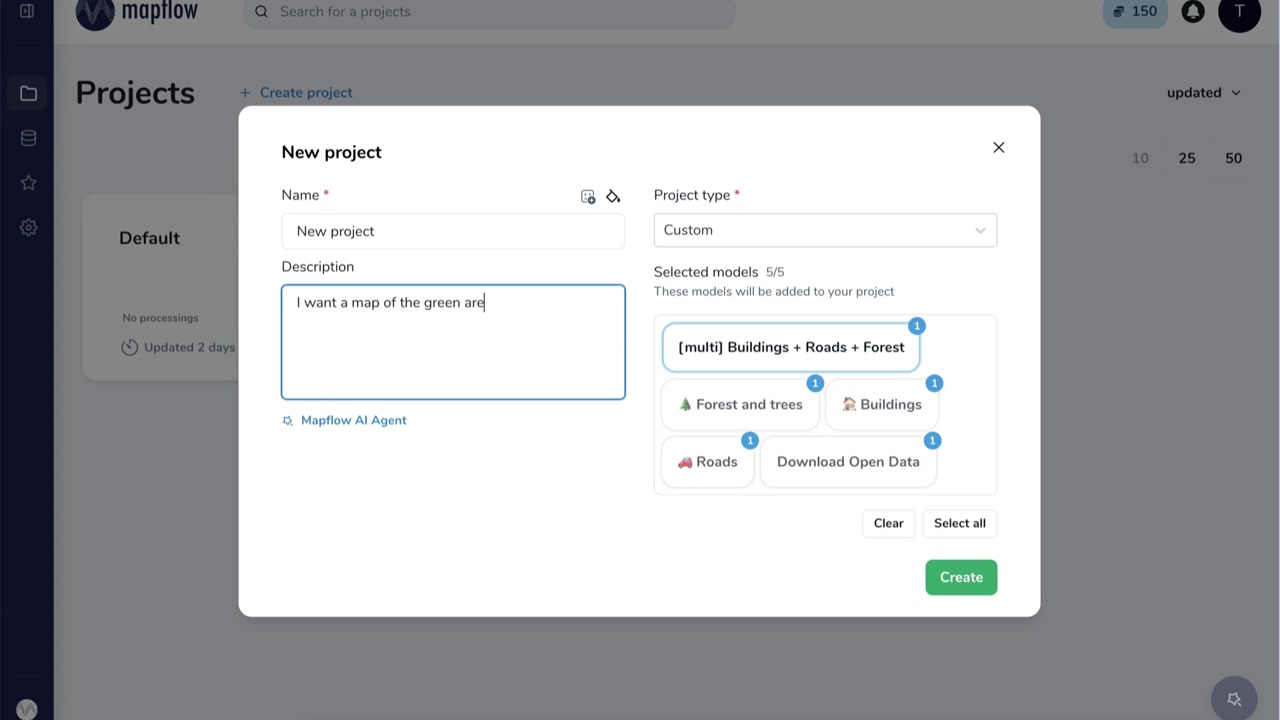
Describe your goal — the Agent suggests models automatically
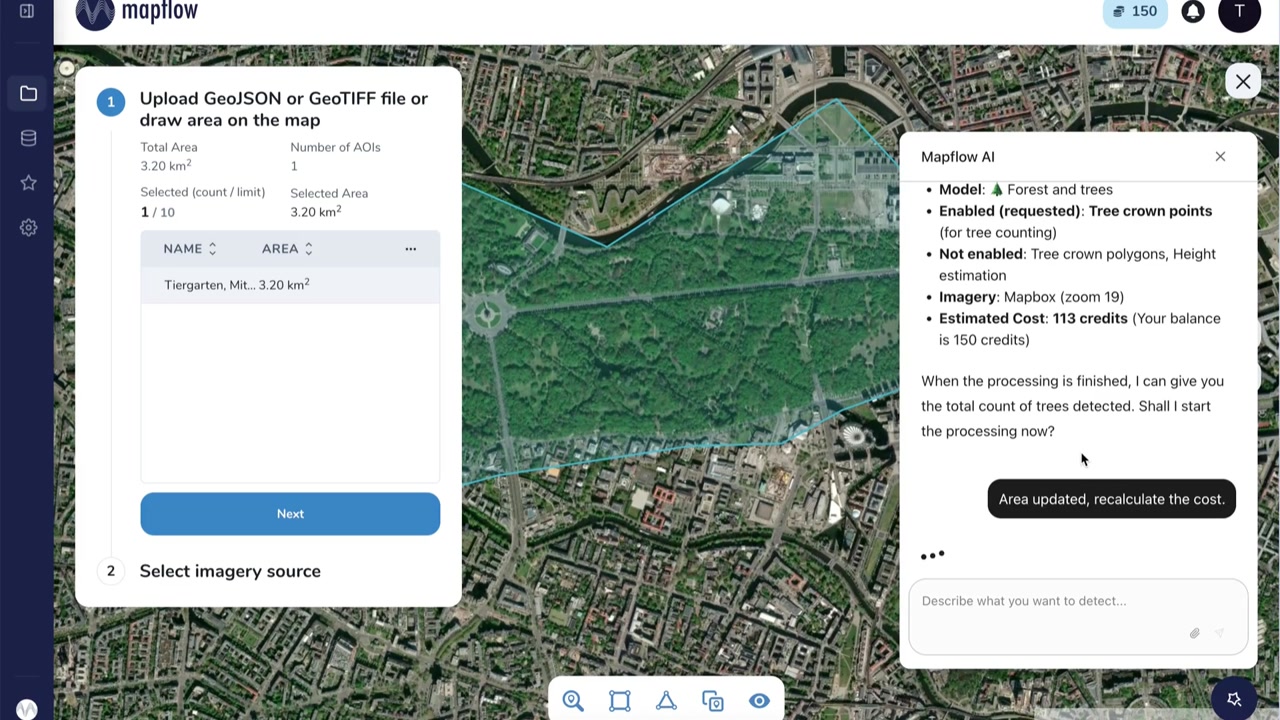
Refine the area on the map; cost is recalculated in real time
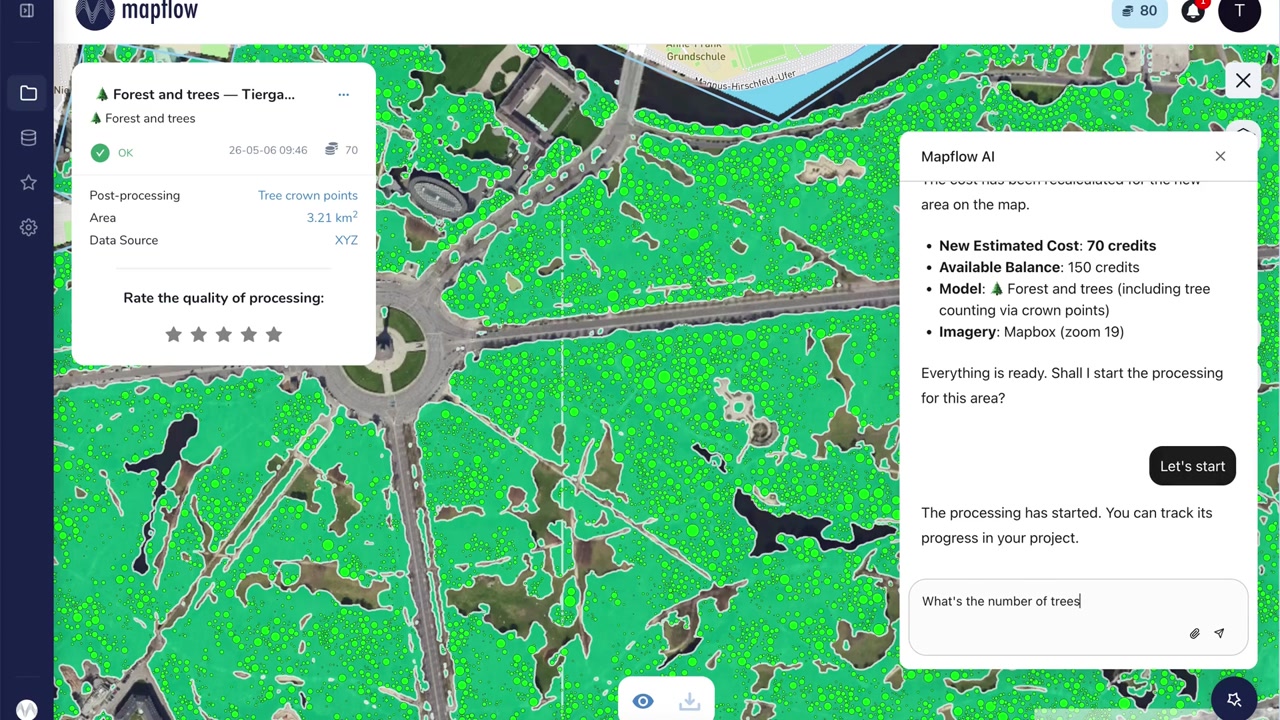
Results rendered on the map — ask the Agent about counts, stats, or next steps
What the Agent can do
Full platform power — accessible through conversation.
Natural language interface
Type what you need in plain English. No manual model configuration or form-filling required.
Automatic model selection
The Agent picks the best AI model for your task — buildings, roads, forests, custom objects, and more.
Smart area & imagery setup
Draw or name a location. The Agent selects an appropriate imagery source and zoom level.
Live cost estimation
Transparent credit cost shown before you start. Adjust the area and watch it update instantly.
Results in plain language
After processing, ask the Agent questions about counts, coverage, or anomalies — get answers, not just layers.
Satellite imagery catalog
Need a specific date or higher resolution? The Agent can search the imagery catalog for you.
Integrated directly in the platform
No separate app. The chat panel lives inside Mapflow — your projects, processings, and results are all in one place.
Try Mapflow AI Agent today
The Agent is currently in beta. Enable it in your User Profile under Settings → AI Agent (beta) and start exploring geospatial data through conversation.