
Meet Mapflow Next: from a question to imagery analysis in a single flow
Until now, every map in Mapflow started with a project. You created one, landed in a workflow builder, then set up a processing step by step. That design mirrored how the platform works, with processing pipelines built from blocks. It suited experienced users, but for everyone else it meant six steps before anything ran.
As UX patterns shift from workflows to chat threads, the new Mapflow starts with the question you actually have. It also brings Mapflow closer to the agentic workflows we keep working on.
Open next.mapflow.ai and you'll see one line at the top: What do you want to map?
Start with a prompt
Type a task like "buildings in the centre of Lisbon" and press Start mapping. Mapflow Agent finds the area, picks the model and the imagery, and shows a review card with the cost. Nothing is charged until you press Run. You can also attach a GeoJSON or pick your own image from My Imagery right in the prompt.
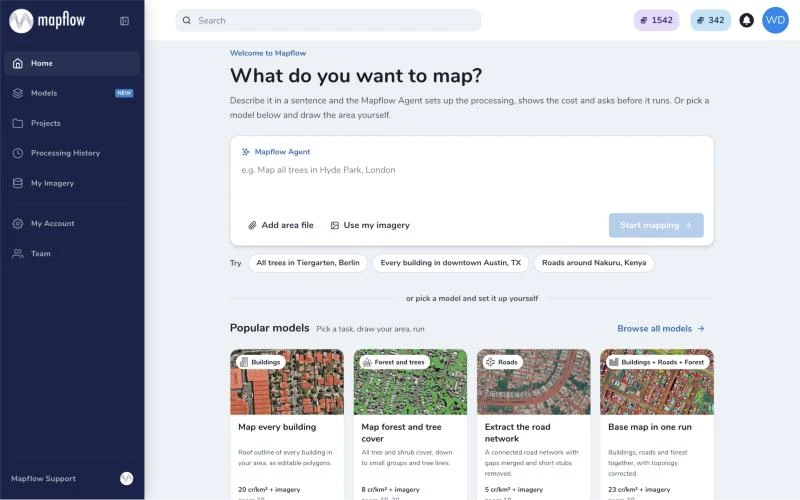
Home: describe the task, or pick a popular model below.
Or start from a model
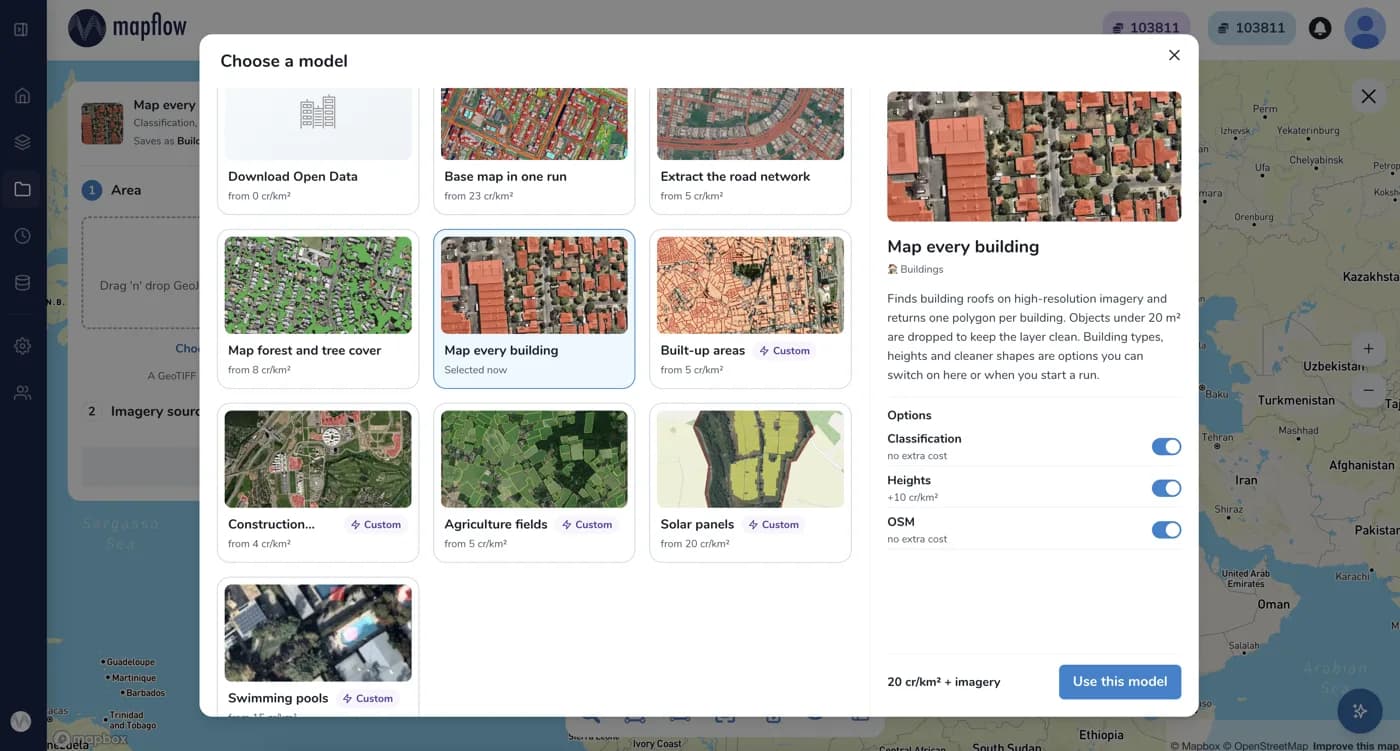
The new Models page puts 14 mapping scenarios in one catalog: buildings with types and heights, forest, tree crowns and vegetation height, roads, a full base map in one run, open data, and custom models such as solar panels and swimming pools. Open a model to see its options, like building heights or tree crowns, with the price per km² updating as you choose. Press Use this model and you're on the map. You can also switch models when you start a new processing from the map. In a sense, the map has become the project.
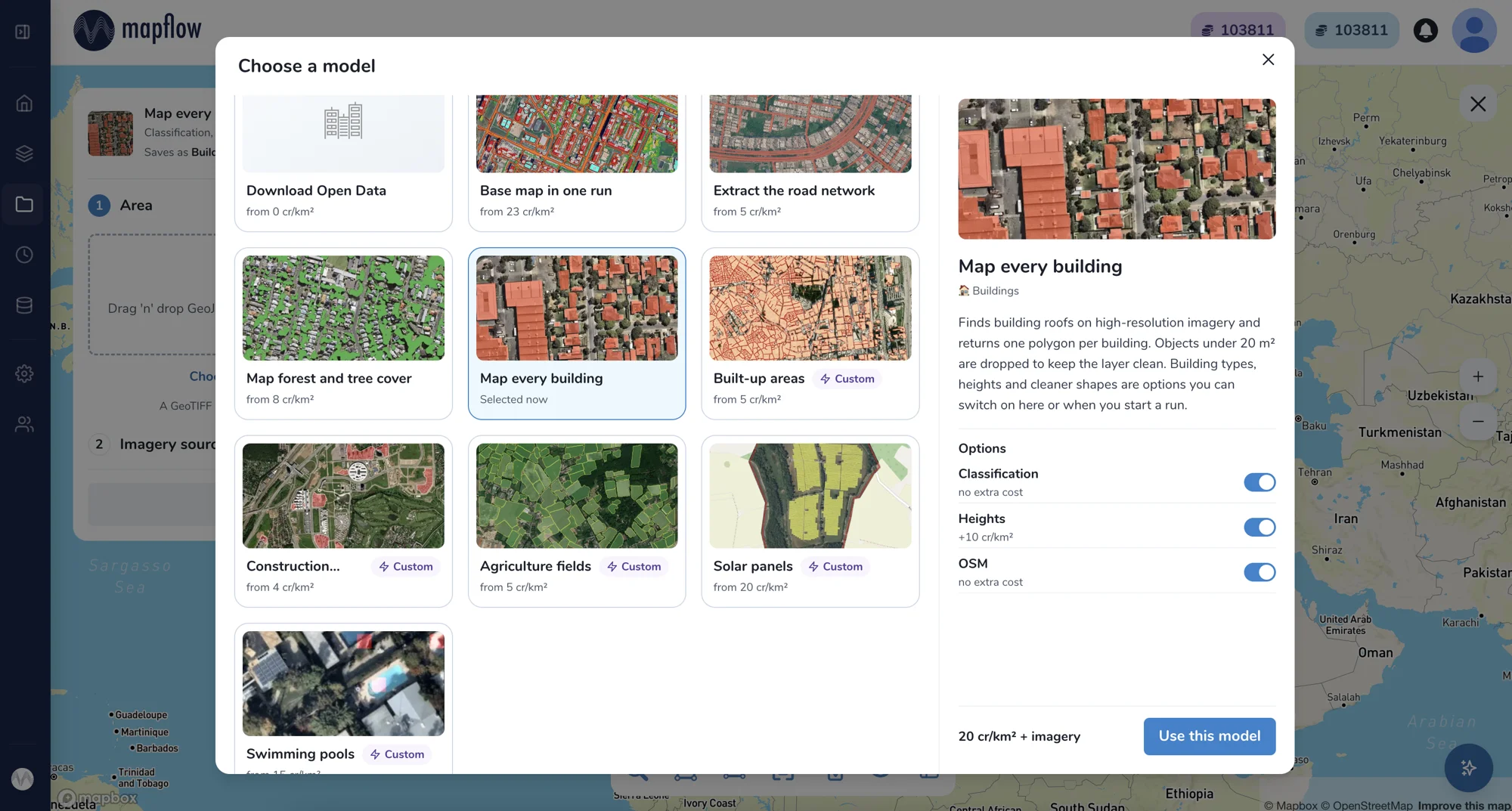
The Models catalog, opened from the map.
Set up a run on one screen
The new processing setup lives in a single sidebar next to the map:
- Area. Draw a rectangle or polygon, create an area from the visible map, search a place, or upload a GeoJSON. Upload a GeoTIFF or pick one from My Imagery and it sets both the area and the imagery.
- Imagery. Choose a basemap and zoom, a custom XYZ URL, or search satellite catalogs with filters for date, clouds and off-nadir angle.
- Cost and Run. The cost line recalculates on every change, so the number you see before Run is the number you're charged.
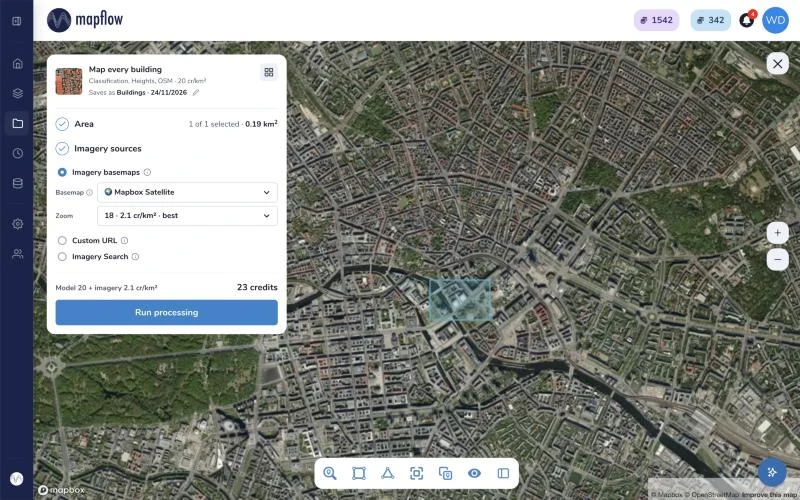
Area, imagery and cost on one panel, next to the map.
Everything you've mapped, in one place
Home now scrolls through your work: recent Projects, the full Processing History with status, area and cost, and My Imagery.
Show on map puts all of a project's processings on one map. Click one to zoom to its area and see results with a details card and statistics you can download as CSV. Results with several areas show "Area 1 of N", and each area has its own export.
Every project on one map
Press Show on map in a project to see its processings on one map. The panel beside it lists every run with its model, area and status, sums up the project (for example, 4 processings · 4 areas · 67.57 km²) and lets you search by model or name. Click a run to fly to its area and see its results on the imagery, or press + to start a new processing that stays in the same project.
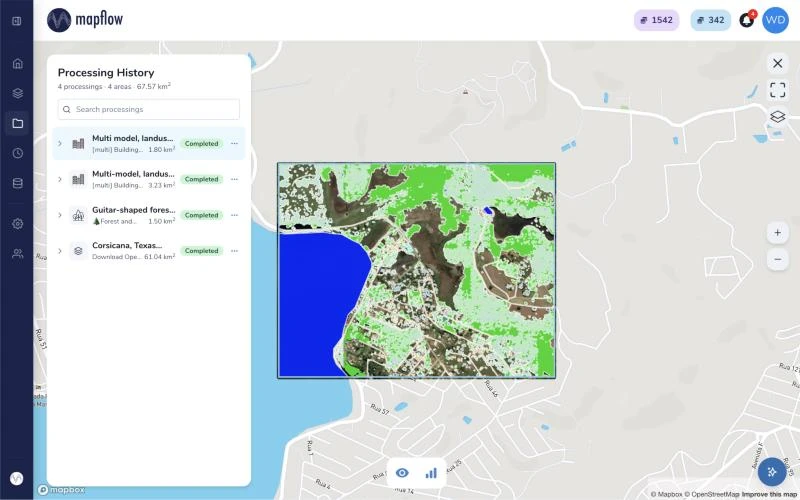
All of a project's processings in one panel, with the selected run's results on the map.
Smaller things you'll notice
- A collapsible sidebar that tucks away on map screens and expands on lists.
- Pins for the projects you use most.
- Header search for projects and processings.
- A one-click button to hide all panels and see the full map.
- Mapflow Support at the bottom of the sidebar, if something looks off.
How we tested it
Before opening the new app, we ran it through 133 test cases covering every redesigned screen, at 1280 and 1440 px, with new and existing accounts. All critical flows passed, from sign-in and deep links to the credits charged after Run.
Try it and tell us what you think
The new interface runs at next.mapflow.ai next to the current app at app.mapflow.ai, on the same account and data, so you can switch back during the trial period. In a week or two, Next will move to the main address, app.mapflow.ai, and the current version will be retired. We'd love ❤️ your feedback: use Mapflow Support in the sidebar or contact us.